Check in a carrier
Receive a carrier a caregiver is returning, record its condition, and close the loan — a return and a check-in are the same thing here. When you’re done, the carrier moves from On loan back to Available. Any assigned User (volunteer), Library Owner, or Org Admin can check a carrier in.
Steps
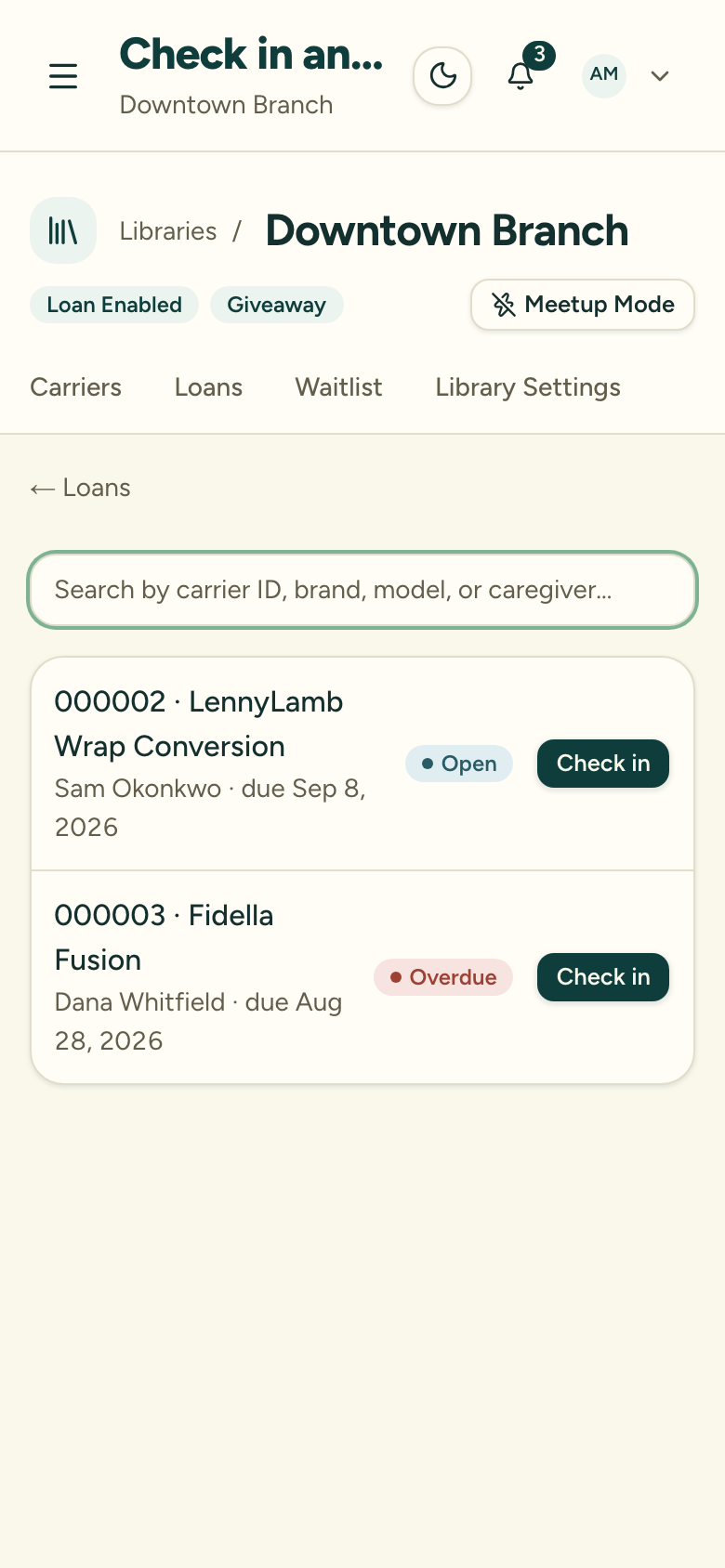
1. Find the open loan
You can start a check-in from several places — all of them open the same check-in screen:
- The Check in button on the Loans screen — scan or search for any carrier you have in hand
- The Return action on an active loan — on the Active loans list, on the org-wide Loans page, or on a loan’s own detail page
- The Check in link on a carrier’s detail page while it’s On loan
- Meetup Mode, for a fast table at an event
Scanning means pointing your phone’s camera at the carrier’s QR label — or pasting a scanned QR code’s link into the search box. Either one jumps straight to the carrier.
2. Record the condition
The condition field defaults to the last recorded condition for this carrier. Update it if the condition has changed.
3. Log any damage (optional)
If there is damage, add a note in the damage field. Adding a damage note automatically flags the caregiver’s record. A Library Owner or Org Admin can amend that flag later with a reason.
Use the damage note for real damage — a tear, broken hardware, or missing parts. For ordinary wear like a small stain, update the condition field or add a carrier note instead; those record the change without flagging the caregiver.
A reminder asks you to avoid recording sensitive personal information in the damage note.
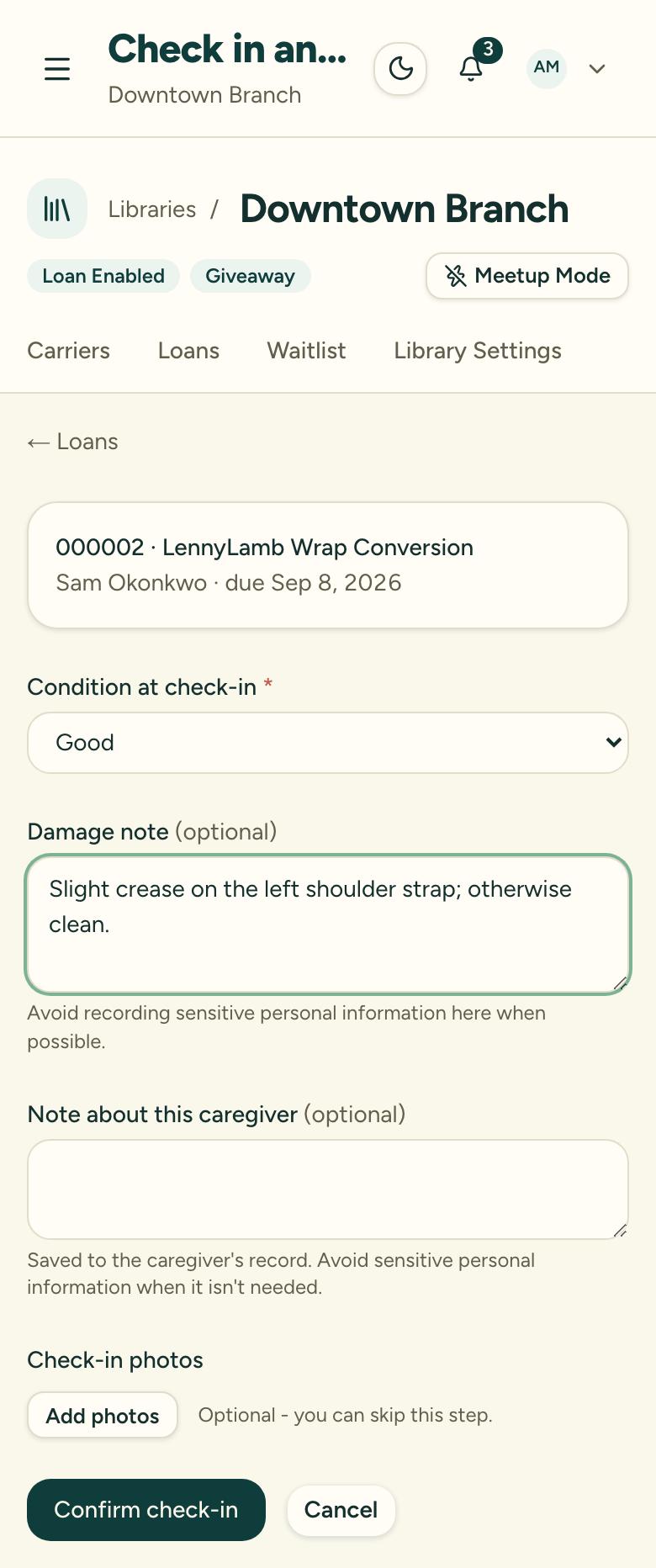
4. Add condition photos (optional)
Take photos of the carrier’s condition if it helps — this step is optional, and one tap skips it. Loan photos are deleted automatically 180 days after the loan closes.
5. Check for a waitlist
If other caregivers are waiting for this carrier, you’ll see a banner prompting you to email the next person in line.
6. Confirm the return
Complete the check-in to close the loan.
After check-in
The carrier’s status changes from On loan to Available and the loan is closed.
If the carrier was returned after the due date, the loan is recorded as overdue and the caregiver’s record is flagged as a late return.
Overdue loans
Overdue loans are flagged across the dashboard and loan lists. From the Active loans list, overdue loans show a Remind action instead of Return — use it to send a reminder email to the caregiver before you receive the carrier back.
See Handle an overdue loan for the full workflow.