Renew a loan
Extend the due date on an active loan so the caregiver can keep the carrier longer. Renewing updates the loan in place — it doesn’t close and reopen it, and it doesn’t touch the carrier’s condition or photos.
Renewals are available on the Starter plan and above — any assigned User, Library Owner, or Org Admin can renew a loan in a library they’re assigned to. On the Free plan there’s no Renew button at all: it isn’t shown as a disabled button and there’s no upgrade prompt on the loan, so if you’re on Free you simply won’t see it. You start a renewal from an active loan’s detail page.
Steps
1. Open the loan
Find the loan on the Loans screen and open its detail page, or reach it from the carrier’s detail page while it’s On loan.
2. Choose Renew
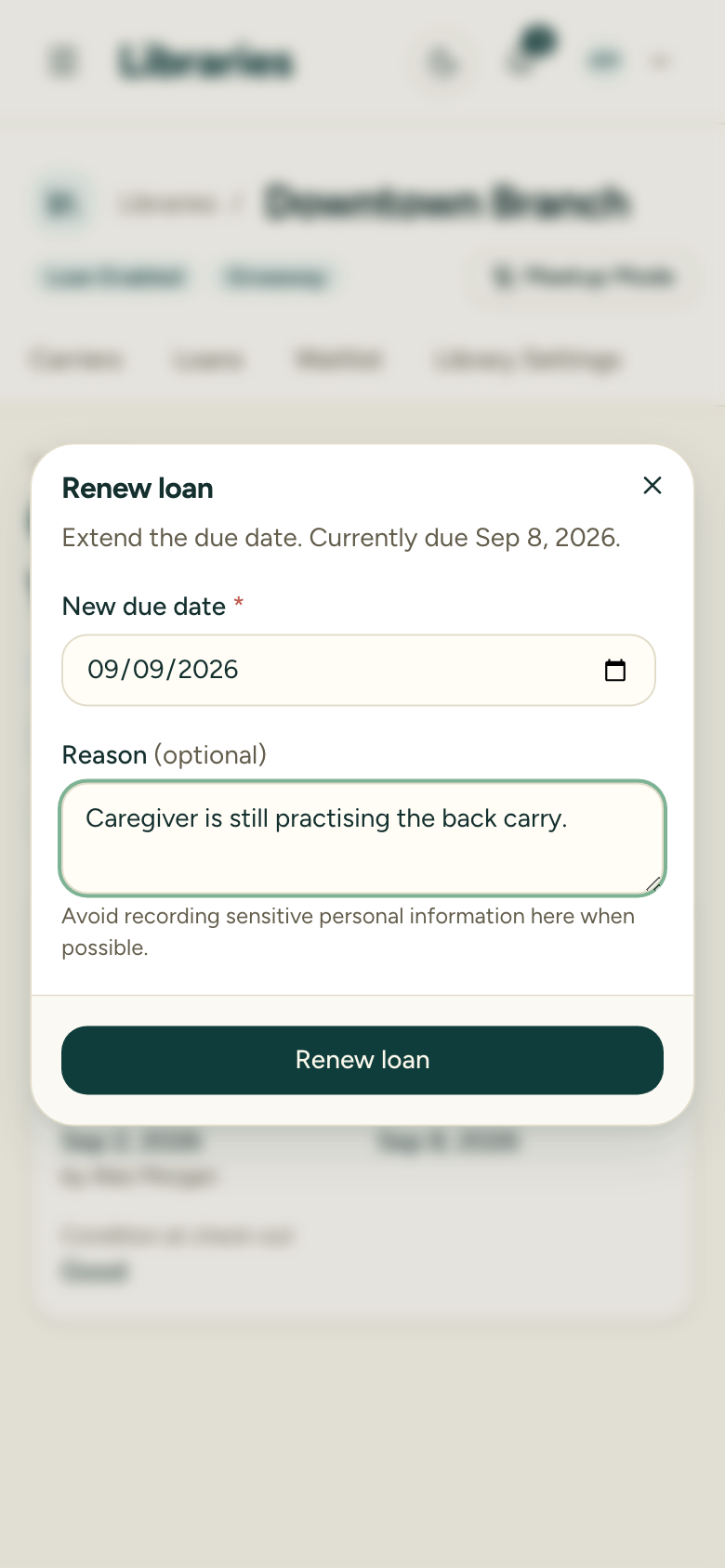
Select Renew to open the Renew loan dialog. It shows the current due date for reference.
3. Set the new due date
Pick a new due date. It must be later than the current due date, and it can’t be in the past. The date field won’t let you choose an earlier day.
4. Add a reason (optional)
You can note why you’re extending the loan. The reason is saved on the renewal record so the history explains itself later.
5. Confirm
Choose Renew loan to save. The loan’s due date updates immediately.
After renewing
The loan keeps its original loan record — only the due date moves. Each renewal is logged with the old due date, the new due date, who renewed it, when, and any reason. The loan detail page shows the original due date plus every renewal in order, so the full history stays visible.
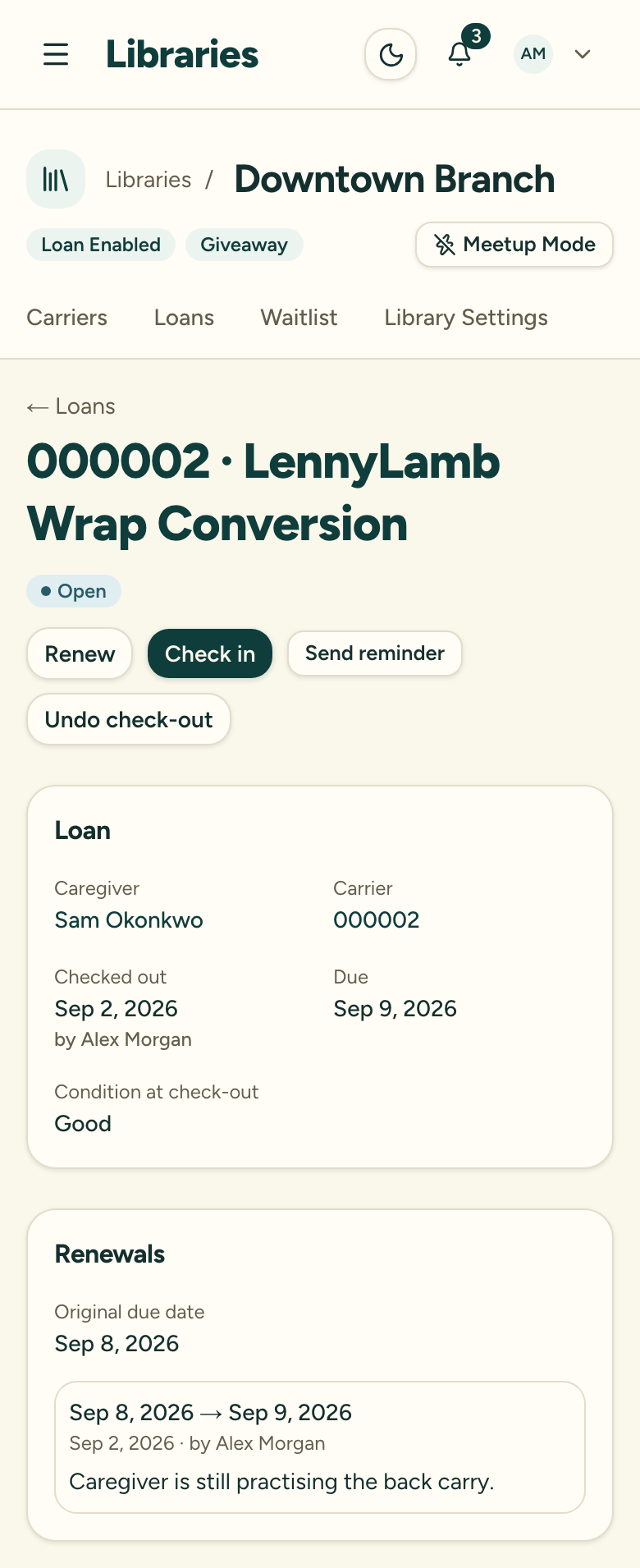
There’s no separate undo step for a renewal — if you extended it too far, renew again to the correct date. (The 10-minute undo window applies only to a fresh check-out, not to renewals.)