Record a waiver
Write down that a caregiver agreed to your organization’s waiver. Carrier Stash calls this record a waiver attestation — the caregiver signs your paper (or agrees verbally, per your policy); this is where you record that they did. Attestations are kept as a running history rather than edited, so you record a new one each time your waiver changes and the caregiver re-signs. Any assigned User (volunteer), Library Owner, or Org Admin can record an attestation.
Steps
1. Open the caregiver record
Find the caregiver on the Caregivers screen and open their record.
2. Record a waiver
Choose Record waiver to open the Record a waiver attestation dialog. If your organization has set standard waiver wording, it’s shown here for reference.
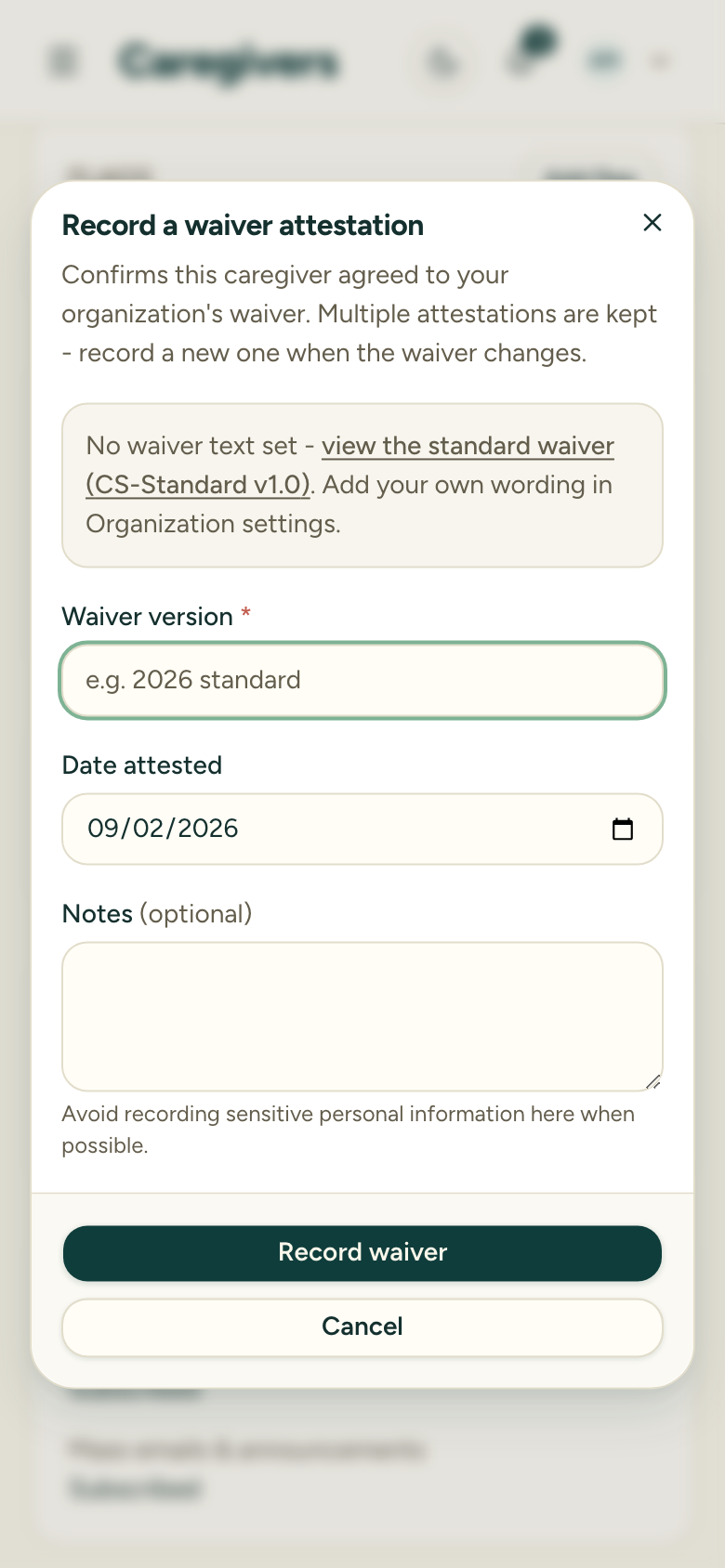
3. Enter the waiver version
Waiver version is required — free text, for example 2026 standard or v2.1. Type whatever name your library uses for the wording the caregiver agreed to — ask your Library Owner if you’re unsure which name to use (for example, 2026 standard).
4. Set the date and notes (optional)
The attestation date defaults to today; adjust it if you’re recording an earlier signing. Add optional notes if you need to.
5. Save the attestation
Choose Record waiver. The attestation is saved, and the most recent one shows on the caregiver’s record.
After you record a waiver
The check-out flow shows a waiver reminder — one that doesn’t stop you — only when a caregiver has no attestation at all on record. Once you’ve recorded one, that reminder stops appearing for this caregiver. Recording a waiver is never required to complete a check-out — it’s a reminder, not a gate.
Attestations don’t expire. The check-out reminder is based only on whether any attestation exists — it will not flag a caregiver who’s on an older version. So when your waiver wording changes, there’s no automatic prompt: record a new attestation (with the new version name) at each caregiver’s next visit to keep your records current.
There’s no report that lists caregivers by which waiver version they signed — track that yourself through the version names you enter. A caregiver’s own record shows their attestation history, but there’s no organization-wide “who’s on the old version” view.
Uploading the signed waiver document itself isn’t supported yet — an attestation records that the waiver was agreed to, not a copy of the paper.