Org Admin guide
Everything an Org Admin needs to set up and run their organization in Carrier Stash. As an Org Admin you have full control of the organization: you manage the subscription, create and configure libraries, invite and assign your whole team, and you can see and act everywhere across the org regardless of access mode.
If you’re brand new, start with the Getting started walkthrough, then come back here.
What you can do
- Create the organization and set its name, billing contact, default loan period, and access mode.
- Manage the subscription tier and the Financial Tools add-on.
- Create libraries and assign a Library Owner to each.
- Invite people, make org admins, and assign library-level roles.
- Do everything a Library Owner and User can do, in any library.
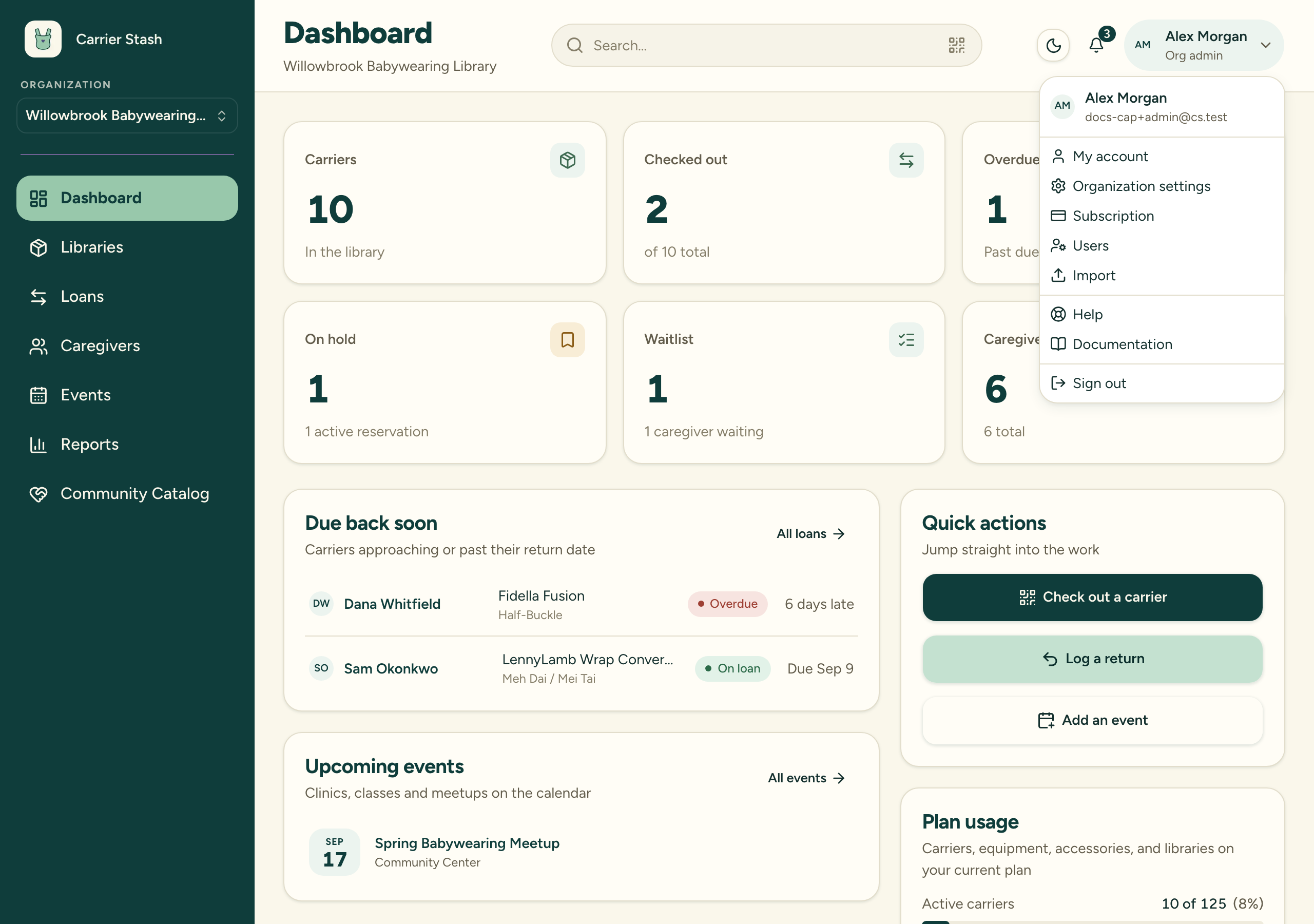
Most of the app looks the same whichever role you have — the sidebar and dashboard are identical for everyone. The visible difference is in your account menu, where three admin-only entries appear:
Set up your organization
- Create your organization
- Set up your first library
- Invite your team and assign roles
- Manage team access
- Roles explained
- Libraries and access modes
Subscription and limits
- Understand tiers and carrier limits
- Manage your subscription
- Upgrade or downgrade
- What happens at a limit
- The Financial Tools add-on
- Subscription tiers, limits, and soft lock
Reporting
Account security
See also
Last updated on