Permanently delete a carrier
Remove a carrier record for good — for duplicates and true data-entry mistakes. Only a Library Owner of the carrier’s library can start a permanent delete, and the carrier must be archived first.
Nothing is destroyed right away: every delete starts a 24-hour cooling-off window, and during that window it can be cancelled with one click. If you’re deleting because a carrier is worn out, lost, or given away, don’t — archive it instead, which keeps the record and is reversible.
Steps
1. Archive the carrier first
A carrier can only be permanently deleted from the archive. If it’s still active, archive it with the appropriate reason.
2. Start the deletion
Open the archived carrier and choose Delete permanently. It appears alongside Restore on the archived carrier’s page.
Both sit in the ⋯ menu in the top corner of the archived carrier’s page.
3. Confirm
The dialog explains exactly what will survive: loan history will show the carrier as deleted, and giveaway records will note that the carrier no longer exists. Type DELETE to enable the confirm button, then choose Delete permanently. The button stays disabled until the word matches.
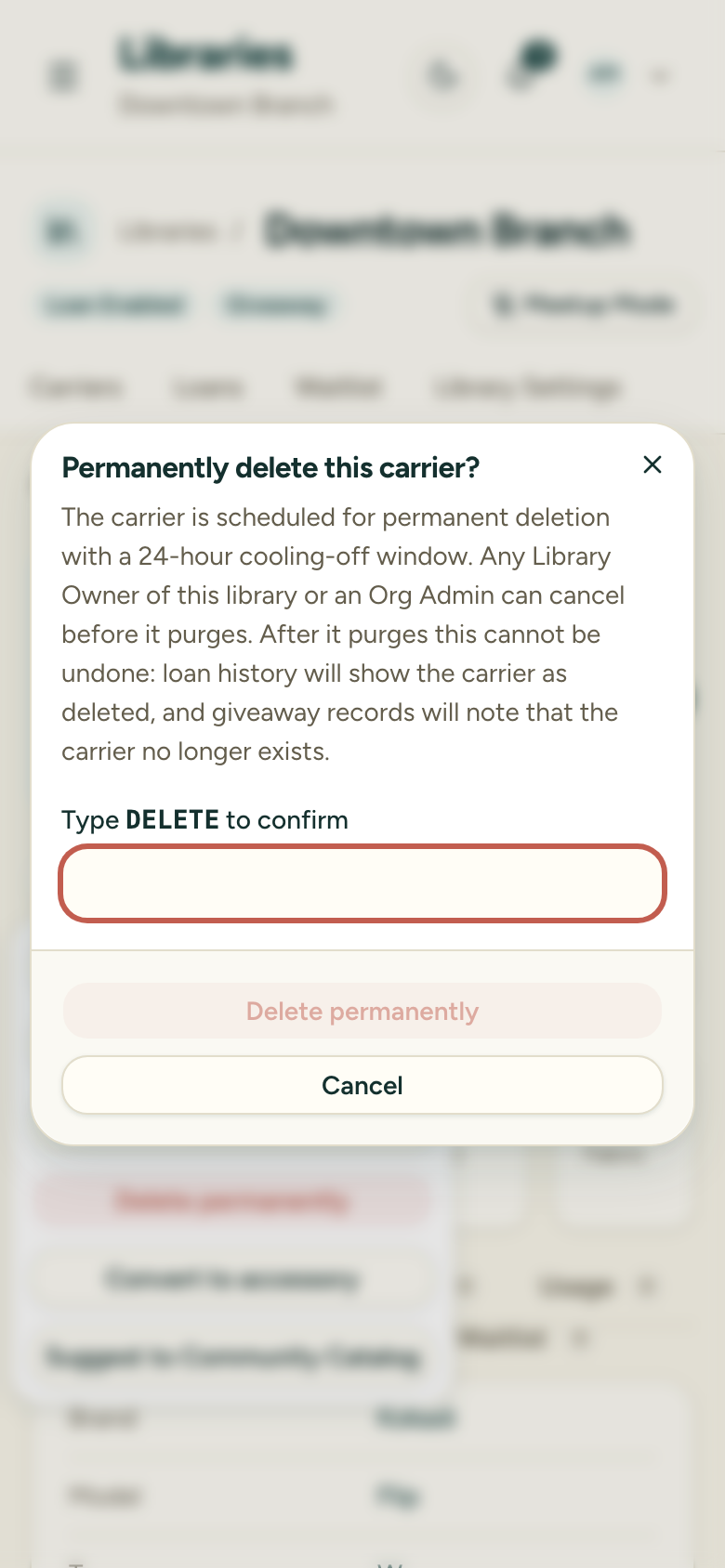
That’s it — the carrier is now scheduled, not deleted. You’ll see “Deletion scheduled — purges in 24 hours unless cancelled.”
The 24-hour window
- Pending deletions are visible in two places: the carrier’s own page shows a countdown banner, and the Archived Carriers list shows a per-row countdown and a running count of how many carriers are pending deletion. On both, while a delete is pending, Restore and Delete are replaced by Cancel deletion — only one lifecycle action runs at a time.
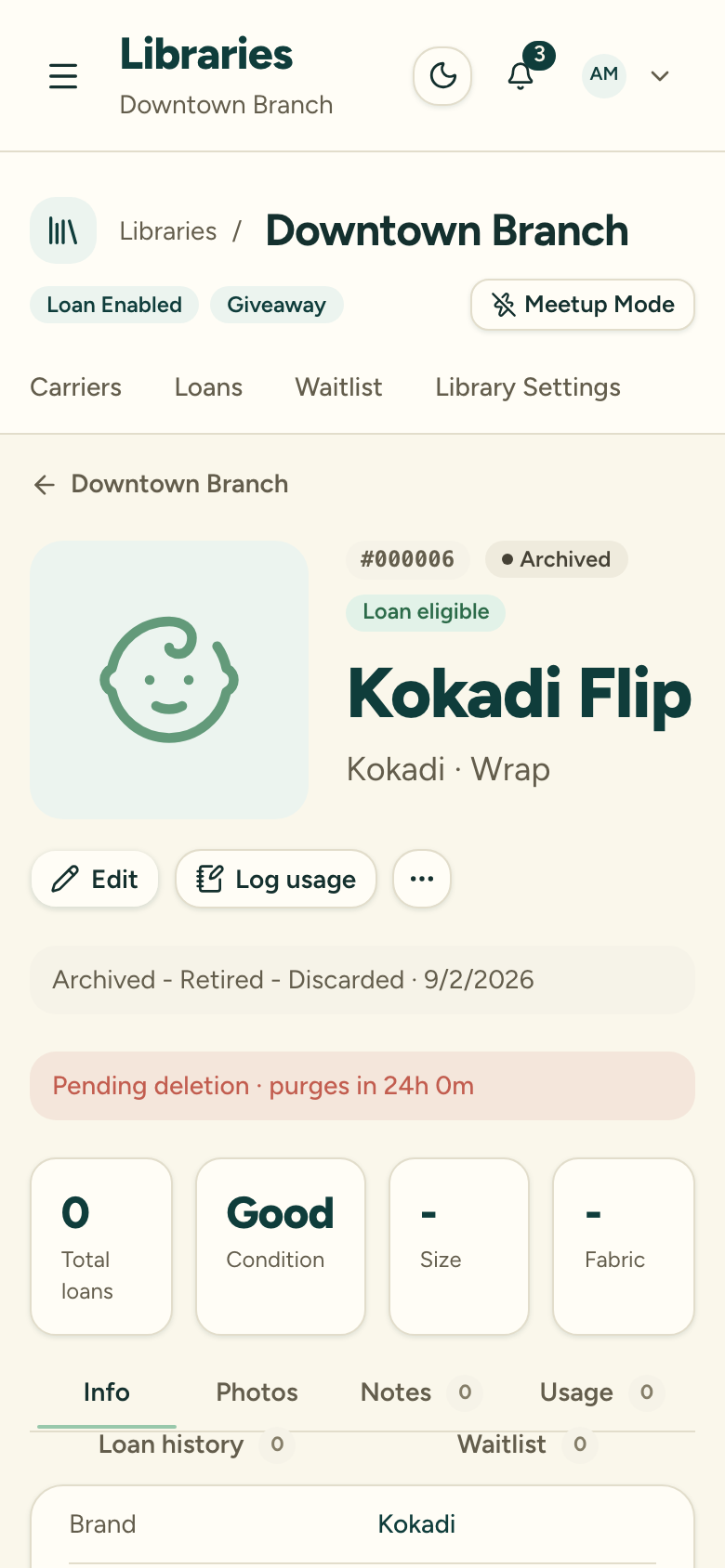
- Any Library Owner of that library or any Org Admin can cancel the pending deletion — not just the person who started it.
- After 24 hours, a scheduled job purges the record automatically. There’s no approval step and no notification to wait for — if nobody cancels, it goes.
Note the asymmetry: an Org Admin can cancel a deletion but can’t start one — initiating is deliberately reserved for a Library Owner of the carrier’s own library.
What is destroyed, and what is kept
Destroyed at purge:
- The carrier record itself, including its Carrier ID
- Its inventory photo (check-out and check-in photos were already removed when the carrier was archived)
- Its notes, transfer history, reservations, and waitlist entries
Kept:
- Loan history — every loan the carrier was part of remains, showing a deleted-carrier placeholder instead of the carrier
- Giveaway records — donor and recipient details remain permanently, with a note that the carrier record no longer exists
- A log entry of who started, cancelled, or completed the deletion